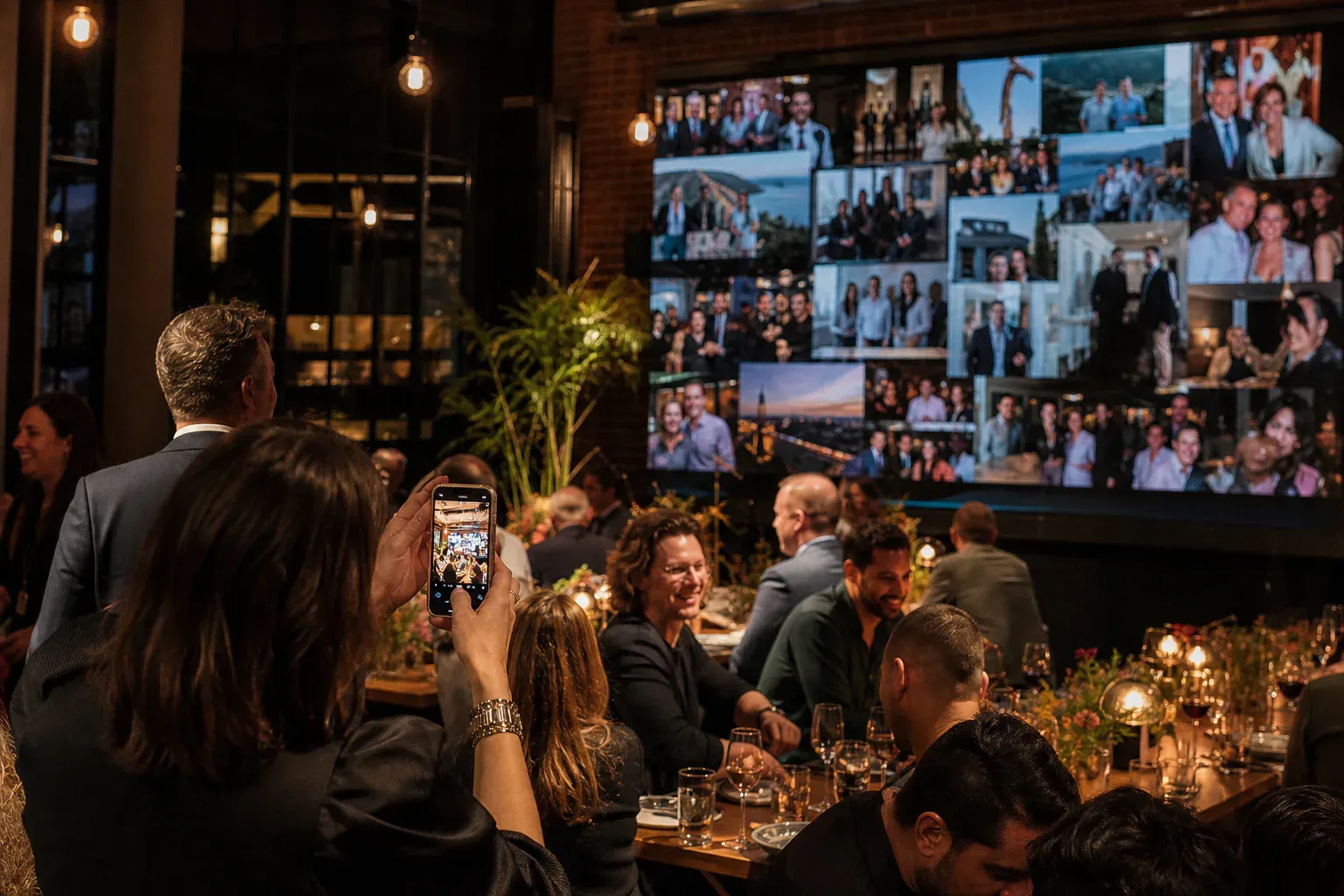
A live photo wall shows pictures taken by the people at your event, on a screen, while the event is still happening. The good version is one of the most reliable ways to make a room feel like something is going on. The bad version is a large expensive screen displaying four photographs, three of which were posted by the organiser.
The difference is almost never the software. It is placement, timing, and asking for a specific picture. Here is the setup that fills a wall.
Get the screen in the right place
Photo walls live or die on whether people can see the screen from where they are standing, and whether looking at it costs them anything socially.
Put it where people already congregate. The bar, the entrance to the main room, the gap between the seating and the food. Somewhere people stand around with a drink and nothing to do with their eyes. A screen at the far end of an empty room is furniture.
Do not put it behind the stage. During a session everyone is looking at the speaker and the wall is competing. Between sessions everyone has turned around. Off to the side, or in the circulation space, works far better than centre-stage for anything other than a deliberate wall moment in the run of show.
Check the brightness. Photo walls are usually run in rooms that get darker as the evening goes on, which is fine, but a projector fighting daylight through a glass atrium at 4pm is a losing battle. If the room is bright, use a television or LED panel rather than a projector.
Portrait screens are underrated. Phone photos are mostly portrait. A portrait-oriented screen in a circulation space displays them at a genuinely impressive size with no letterboxing, and most venues can rotate a panel on a stand if you ask.
Where the code goes is 80% of the outcome
This is the whole game and it is consistently underestimated. People do not post because they never noticed how.
The rule: put the code where people are stationary, waiting, and holding their phone already.
- The bar queue. The single best spot at any evening event. Two minutes of enforced idleness with a phone in hand.
- The table. For seated events, a small card at each table beats everything. People are sitting down, phones are on the table, and there are natural lulls.
- The badge or lanyard. For conferences, printing the code on the back of the badge means every attendee is carrying it all day.
- On the slide during the pre-start loop. Not once at the beginning — on rotation, for the entire fifteen minutes people are filing in.
- Beside the screen itself. Anyone looking at the wall and thinking how do I add to that should find the answer in their eyeline.
- The photo corner. If you have a backdrop or a props table, anyone using it is one tap from posting the picture they just took.
One sign by the entrance is the classic mistake. People walk past it carrying coats.
Always print the short code and the web address under the QR code. A meaningful number of people will not scan — the camera app is fiddly, or their hands are full — and typing four letters is a fine alternative for them.
Never let it start empty
An empty wall is a signal, and the signal is nobody is doing this. The first person to post has to overcome that, and most people will not.
Before the doors open, put three or four photographs up yourself. The room being set up. The team. The venue while it is still quiet. Anything real. It costs you two minutes and it changes the arrival experience from what is that empty screen to oh, there’s a thing happening here.
The same principle applies to restarting it. If the wall has gone quiet for forty minutes, the fix is not a new prompt on the slide — it is one post from the organising team to break the seal.
Ask for a specific photograph
“Share your photos” gets you nothing. It is too broad a request to act on, so people defer it and then forget.
A specific ask converts because it removes the decision:
- One photo of the table you are sitting at.
- The picture you took before you sat down.
- The best slide of the day.
- Someone here you have known the longest.
- The detail nobody else has noticed yet.
- Your view from where you are standing right now.
That last one is quietly excellent at conferences and offsites, because everyone can do it immediately without moving, and the resulting wall is a genuine picture of the whole room from every angle.
Change the ask through the event rather than leaving one up all night. A prompt that has been on screen for two hours has stopped being a prompt. There are more of these here.
Moderating photographs
Photos need a different moderation posture than text, for one specific reason: you are approving something you have to actually look at, and a thumbnail is not enough.
Practical setup for anything public or brand-sensitive:
- Approval mode on, with the moderator able to view the full image before releasing it.
- The queue on a separate device from the machine driving the display. Nobody wants to see the moderation interface projected at four metres.
- A named backup moderator. Photo volume is spiky — it arrives in bursts after key moments — and one person cannot be permanently attached to the queue.
- A one-sentence rule agreed beforehand about what does not go up.
For a small trusted room, turn approval off. Instant posting makes the wall feel alive and a room of thirty people who know each other will police itself far better than any queue. The threshold is roughly: do you know everyone here by sight? If yes, let it run.
The venue checks worth doing
Do these during setup, in the actual room, not from your desk.
Post from a phone standing at the back. Not on the venue Wi-Fi — on a normal mobile connection, the way an attendee will. Confirm it appears.
Look at the screen from the furthest point anyone will stand. Can you read the author names? If not, the wall is decoration.
Check what happens when the display machine drops its connection. Unplug the network cable for ten seconds and watch. It should hold the last frame and recover quietly. If it throws an error page, you want to know that now.
Turn off screen sleep and any notifications on the machine driving the display. A system update dialog on a four-metre screen is the most avoidable failure in event production and it happens constantly.
Decide who owns the screen for the evening, by name. Not “the AV team” — a person.
Afterwards
The photographs are the part people want and the part most events lose. Between everyone’s camera rolls and a platform that has moved on, the record of the evening evaporates within a week.
Decide before the event what happens to the wall afterwards: who gets to look at it, for how long, and when it goes away. If the photos are meant to be usable — for a recap, a newsletter, next year’s marketing — someone needs to actually collect them while the wall is still open, rather than remembering a month later.
And if there is any chance the images will be used publicly, say so on the same card as the code. One line is enough. People are relaxed about it when they are told and reasonably annoyed when they are not.
The short version
The screen matters less than where it is. The software matters less than where the code is. The prompt matters more than either.
Put the code in the bar queue, seed the wall before the doors open, ask for one specific picture, and put a named human on the queue. Do those four things and the wall fills. Skip them and you will have a beautifully rendered display of nothing, and you will blame the tool.